
Digital Signage for Manufacturing: Dashboards and Setup

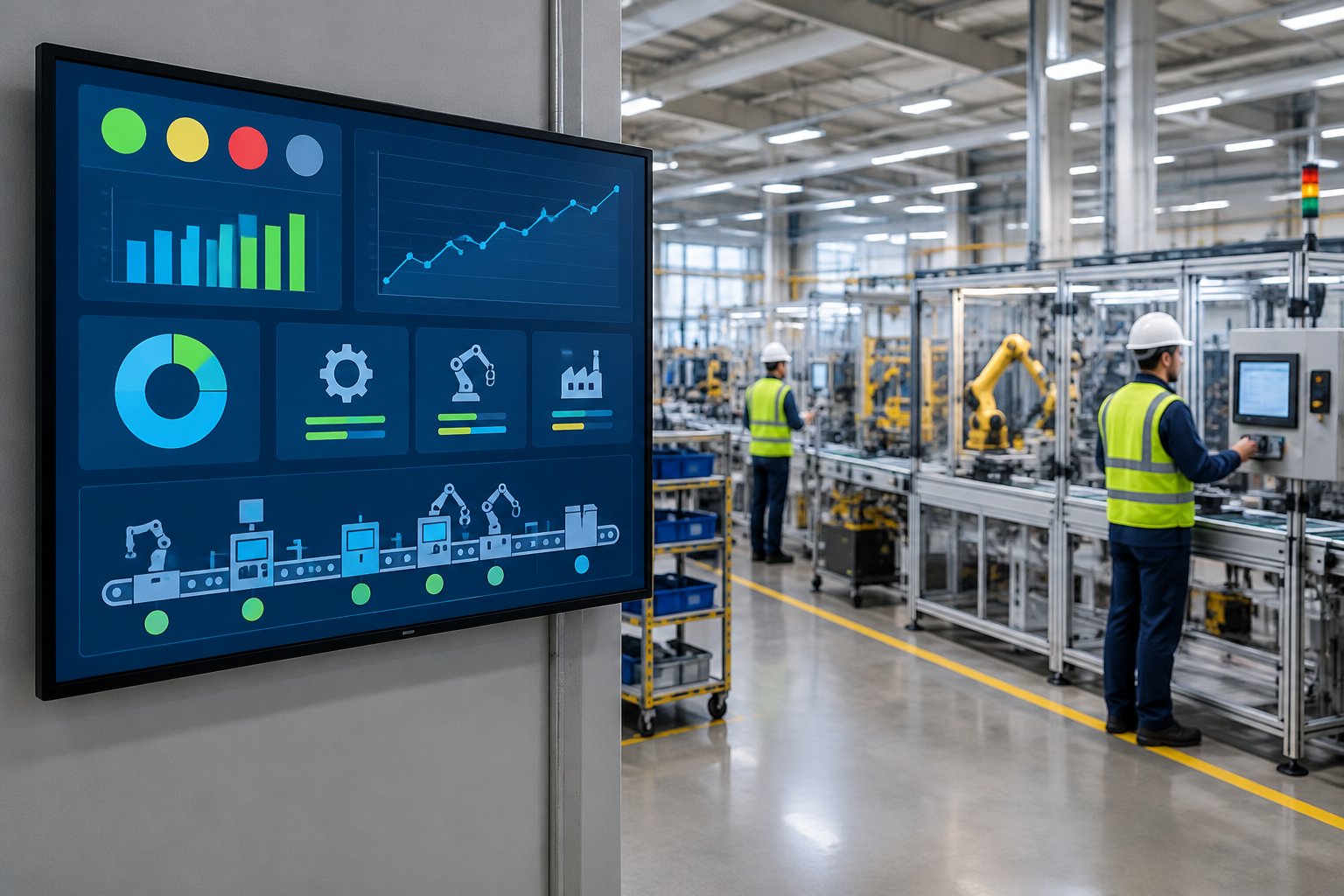
Digital signage for manufacturing puts existing production dashboards, routine safety reminders, and shift communications on shared screens where workers can see them during the shift. At Variabl, we help you turn web-based content into manufacturing information displays using computers and displays you already have.
A useful factory screen answers an immediate question: Is the line on target? What needs attention? Has the shift schedule changed? Live production data and focused employee communication give operators useful context without requiring a trip to an office workstation.
We recommend starting with an existing production dashboard and one approved announcement. That gives your operations and IT teams a manageable way to check readability, access, and content ownership before adding displays.
Which Production Metrics Should Your Screens Show?
Show production metrics that help the people near each screen decide what to do next. Our recommendation is to select production KPIs from your existing reporting systems and pair each exception with a clear response.
Show Output vs. Production Targets and Throughput
Output versus production targets gives operators a direct view of progress. Include the reporting period and units so an hourly count stays distinct from a full-shift target.
For example, a dashboard might show 420 completed units against a target of 450 by the current hour, alongside throughput in units per hour. This is a hypothetical layout: your source system supplies the production data and calculations; Variabl displays the existing dashboard.
Make Downtime and Quality Problems Actionable
A downtime counter becomes more useful when it includes the affected asset, reason, and response owner. Quality metrics need similar context, such as first-pass yield alongside the current defect category.
We recommend keeping quality alerts specific enough to support your established response procedure. An approved message might identify a batch awaiting inspection and direct operators to the quality lead. Agree on thresholds with production and quality managers before publishing them.
Display Existing OEE Dashboards and Line Status
An OEE dashboard shows Overall Equipment Effectiveness through availability, performance, and quality. Display the components alongside the headline percentage so workers have context for a change.
Our player displays existing Grafana dashboards, including private dashboards after an initial sign-in. For Looker Studio reports, use the embed URL with embedding enabled and appropriate sharing permissions.
Existing OEE dashboards or an andon board web view also suit line-side screens. Keep machine control and established andon escalation procedures with their designated systems; the signage presents production dashboards for visibility and operational efficiency.
How Do You Build Playlists Workers Can Use?
Build playlists around the decisions and messages relevant to each work area. We recommend a short rotation with clear priorities, approved safety notices, and enough reading time for every item.
Combine Existing Web Dashboards and Announcements
Start with a dashboard URL, then add an announcement for information your reporting tools do not contain. Our announcement slides support a title, message, background color, and font color.
A hypothetical assembly-area playlist could combine the current production dashboard with an approved shift-handover notice. If you use Google Sheets for shared reports, our documented workflow requires a publicly accessible or published sheet. Use that approach only for content approved for public access.
Match Safety Reminders and Shift Updates to Each Area
Manufacturing signage works best when the message matches the location. PPE reminders near a machining cell need different content from shift schedules in a break room.
Ask your EHS owner to approve safety messages and set review dates. Digital safety boards support workplace safety communication, while required signs and approved procedures remain governed by your facility’s safety program.
For multilingual teams, publish approved translations and use familiar pictograms. Keep each slide focused on one instruction.
Set Content Priorities and Rotation Timing
Give production information most of the screen time on line-side manufacturing digital signage. Use shorter announcements for routine reminders and reserve longer notices for areas where people stop to read.
Tab Revolver supports a fixed rotation interval or custom timing for individual pages. For example, one dashboard can remain visible for 60 seconds while an announcement appears for 30 seconds.
Check the complete cycle length as well as individual durations. A message buried in a long playlist takes longer to return, even when every slide looks readable.
Make Dashboards and Work Instructions Readable at a Distance
Use large labels and strong contrast, then check the screen from the actual viewing position. Simplify dashboard views that rely on dense tables or small legends.
Our webpage controls support zoom from 25% to 200% and a scroll position measured in pixels. For approved visual instructions, hosted images support Cover, Contain, and Original display modes; Contain preserves the full image.
Keep detailed work instructions available through your controlled-document process. A rotating screen suits a short reminder or visual reference, with the document revision clearly visible.
How Do You Deploy Screens With Variabl?
Deploy a single display through a checklist covering the computer, connection, permissions, power settings, and factory environment. We recommend completing the content setup before mounting additional screens.
Choose Between Variabl Player Beta and Tab Revolver
Our Variabl Player is labeled Beta and suits dedicated fullscreen signage with remote screen management. Tab Revolver suits lightweight rotation of web pages in Chrome or Microsoft Edge.
| Deployment choice | Variabl Player Beta | Tab Revolver |
|---|---|---|
| Application format | Electron application | Browser extension |
| Playback environment | Windows or Mac | Chrome or Microsoft Edge |
| Primary fit | Dedicated managed displays | Lightweight tab rotation |
Player adds webpage display controls and activity-aware playback, which pauses rotation when someone actively uses the machine. For a straightforward second-monitor station, a Tab Revolver playlist provides hands-free rotation with configurable timing.
Connect an Existing Windows or Mac Computer to a Display
Connect the playback computer to the display and confirm the intended resolution and orientation. A spare laptop or suitable mini PC is enough to begin evaluating the setup.
Our Windows digital signage workflow recommends HDMI, internet access, and disabling automatic sleep or hibernation. Windows 10 and 11 are explicitly supported for Player; Mac is also supported.
For the extension’s connected-screen workflow, connect the screen using the activation code shown at d.variabl.co. The browser window containing the rotating tabs must remain open during capture and broadcasting.
Check Network Access, Dashboard Permissions, and Sleep Settings
Validate access from the playback machine itself. A dashboard that opens on an administrator’s laptop still needs the correct network route and permissions on the display computer.
Use this preflight checklist:
- Confirm access to every dashboard URL and required sign-in service.
- Verify that the display account has the intended report permissions.
- Disable automatic sleep and hibernation for the approved operating period.
- Check display power-saving settings.
- Arrange operating-system updates within your maintenance process.
- Confirm how an authorized person will restore playback after a restart.
Have IT review access across production-network boundaries. Variabl displays web content; your approved reporting architecture supplies the underlying manufacturing data.
Test Screen Placement and Playback Under Factory Conditions
Run the pilot where people will use it, including during each relevant shift. Lighting and viewing angles change how readable a dashboard feels on the floor.
Check glare, safe sightlines, cable protection, mounting security, and access for maintenance. Select hardware or protective enclosures suited to the area’s dust, vibration, and temperature conditions.
Test recovery after a restart and a temporary network interruption. Record which steps require someone at the device before expanding the deployment.
How Do You Keep Factory Screens Current and Secure?
Keep screens dependable through named content owners, visible freshness indicators, and managed device access. Our local-session approach supports private dashboard playback, while your team remains responsible for permissions and device security.
Assign Content Owners and Manage Per-Screen Playlists Remotely
Give each content category an accountable owner. Operations should approve production dashboards, EHS should approve safety communication, and IT should manage playback devices and access.
With Variabl Player, you manage screens centrally and assign different playlists to individual screens or locations. Use descriptive screen names, such as “Packaging Entrance,” to reduce the chance of publishing to the wrong area.
For announcements, record an approver and removal date in your content process. Employee communication needs the same review discipline as production information.
Check Data Freshness and Configure Page Reloads
Put a last-updated timestamp on production dashboards wherever the reporting tool supports it. A moving playlist alone does not establish that the underlying production data is current.
Our website URL settings include Reload on Rotate, which refreshes a page whenever it returns to the screen. Match that behavior to the dashboard’s own refresh method and the load your reporting service supports.
Real-time data depends on the source pipeline, report refresh, and network connection. Check the displayed value against its source during commissioning and after reporting changes.
Manage Local Authentication, Session Expiry, and Access Control
Our player runs locally, and dashboard content, login sessions, and authentication credentials remain on the playback device. This data does not pass through our servers.
Persistent local authentication reuses a signed-in session, but identity-provider policies still govern expiry, revocation, and additional sign-in requirements. Arrange a recovery process that follows your organization’s authentication rules.
Use an approved account with only the necessary viewing permissions. Protect physical access to the computer, restrict administrative rights, and avoid displaying sensitive employee information in publicly visible areas.
Troubleshoot Stale Pages, Failed Logins, and Playback Interruptions
Start troubleshooting at the point where the problem appears. A stale metric, expired session, and sleeping computer need different fixes.
- Stale values: Check the source report timestamp and refresh status, then review page reload behavior.
- Failed login: Open the dashboard on the playback device and verify account access, session expiry, and identity prompts.
- Stopped browser broadcast: Confirm that the rotating-tab browser window remains open.
- Interrupted rotation: Check sleep settings, system updates, and network connectivity.
- Player pause: Check whether activity-aware playback has detected someone using the machine.
After restoring playback, verify the full rotation. Confirm that every private page has returned to its intended report view.
Start With One Useful Screen, Then Scale
Start with one factory-floor display that shows an existing production dashboard and a routine safety announcement in Variabl. We recommend evaluating Variabl Player Beta for dedicated fullscreen playback and remote screen management, or Tab Revolver for lightweight browser rotation.
Before expanding digital signage for manufacturing, confirm that workers can read the content and identify who owns each update. Track practical indicators of operational efficiency, such as time spent updating notices or locating current production information.
Use the pilot to document placement, permissions, and recovery steps. Apply that approved setup to the next work area, adjusting its playlist to local needs.
Frequently Asked Questions
Our recommendations for factory screens include clear ownership and an agreed recovery process. These answers address the purchasing and operating questions that follow.
Can factory screens display private Power BI or Grafana dashboards?
Yes, our player displays private Power BI and Grafana dashboards through authenticated sessions. Use an authorized account; report permissions and identity-provider session policies still apply.
Can we use existing TVs and computers for manufacturing signage?
Yes, you can use an existing TV or monitor with a suitable Windows or Mac computer. Check connection compatibility and hardware suitability for the factory environment.
Who should own screen content and keep production information current?
We recommend operations own production content, with EHS approving safety messages and IT managing devices. Assign a backup owner and review cadence for each playlist.
How much does a manufacturing digital signage setup cost?
Your cost includes software, any required hardware, mounting, and installation. We offer a free starting option; confirm current digital signage pricing and machine allowances before budgeting.
Does running a player locally mean dashboards work offline?
Local playback describes where our application runs; it does not establish offline playback for web dashboards. Plan around each content source’s network requirements and test interruption recovery.
Can routine safety screens replace an emergency notification system?
No, routine safety screens should supplement your approved emergency notification system. Our routine announcement workflow should not be treated as a certified emergency-alert channel or a guaranteed emergency override.